
- October 3, 2026
- admin
- broadbandEthernetStreaming TipsWi-Fi
Ethernet vs Wi-Fi for IPTV UK: Which Connection Wins?
- Does Wi-Fi actually struggle with live IPTV streams in the UK?
- Why do people say Ethernet for IPTV UK setups is mandatory?
- What category of Ethernet cable should I actually buy?
- How do I hardwire my living room setup without tearing up the carpets?
- Is Wi-Fi ever acceptable for modern streaming boxes?
Does Wi-Fi actually struggle with live IPTV streams in the UK?
Most modern British broadband packages easily clear 50 Mbps. That bandwidth sounds massive. Yet, your live stream still stutters during a crucial football match. Why does that happen?
Wi-Fi relies on radio waves. Thick Victorian brick walls, busy 2.4 GHz bands from your neighbour’s router, and even your microwave oven disrupt those signals. Packet loss spikes instantly. Live television demands steady, unbroken data delivery. Wi-Fi gives you convenience, but it rarely gives you consistency.
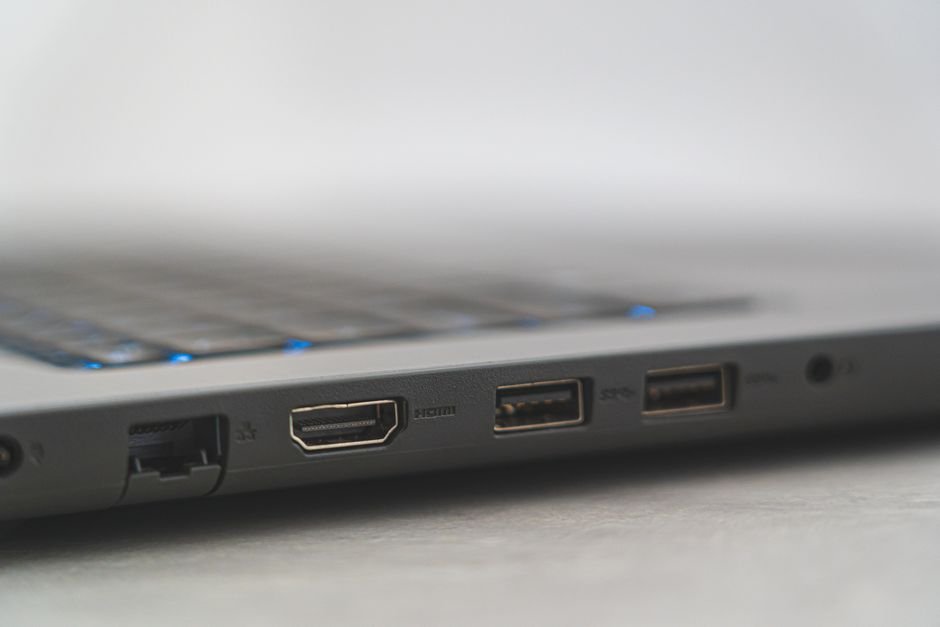
When you use Ethernet for IPTV UK viewing, you bypass all wireless interference entirely. Copper wires carry data packets directly from your router to your streaming box without dropping a single frame to local radio clutter.
Why do people say Ethernet for IPTV UK setups is mandatory?
Buffering ruins movie night. It kills the excitement of a penalty shootout. Technicians often preach about wired connections for one simple reason: latency.
Wi-Fi introduces jitter. Jitter is the variation in packet arrival time. Even if your average speed looks fine on a quick speed test, sudden spikes in jitter cause audio to drift out of sync or video to freeze. Hardwiring solves this problem at the root. Before upgrading your broadband package, you might want to check out vital broadband specs for streaming to see where your current setup stands.
Plug an Ethernet cable into your Apple TV or Fire Cube. Watch what happens. The random micro-stuttering usually vanishes within seconds.
What category of Ethernet cable should I actually buy?
Don’t overpay for fancy marketing. You don’t need gold-plated connectors or braided cables wrapped in nylon.
Cat5e handles gigabit speeds easily. Cat6 handles them too, with extra shielding against electrical interference. For a standard UK living room run under ten metres, standard Cat5e or Cat6 cables cost mere pounds and deliver identical real-world performance for your TV feed.
Avoid ancient Cat5 cables if you find them in a dusty drawer. They max out at 100 Mbps. Stick to Cat5e or Cat6 to future-proof your setup.
How do I hardwire my living room setup without tearing up the carpets?
Nobody wants ugly blue cables snaking across the middle of the hallway. Landlords hate drilled holes. What are your options?
Flat Ethernet cables solve this neatly. You can run them flat along skirting boards or tuck them under carpets easily. They blend into white walls if you use matching adhesive cable clips.
Powerline adapters offer another clever workaround. They send internet signals through your home’s electrical wiring. Plug one adapter near your router, plug another near your television, and connect them with short patch cables. While they don’t match a direct copper run, they usually beat a congested wireless connection hands down.
Is Wi-Fi ever acceptable for modern streaming boxes?
Yes. If your router sits in the same room with a clear line of sight, 5 GHz Wi-Fi handles high-definition feeds comfortably.
Wi-Fi 6 routers improve matters further by managing multiple connected devices efficiently. If you live alone in a modern flat with minimal signal interference, wireless might serve you well enough.
Still, running Ethernet for IPTV UK streams removes doubt. You plug it in, forget about it, and enjoy uninterrupted television.
For more information, visit our website.
Related reading
- M3U Playlists vs Xtream Codes API: Which IPTV Connection Type Fits Your Setup?
- How to Lower IPTV Latency on UK Broadband Connections
Update: How to Choose an IPTV Subscription Provider in the UK